
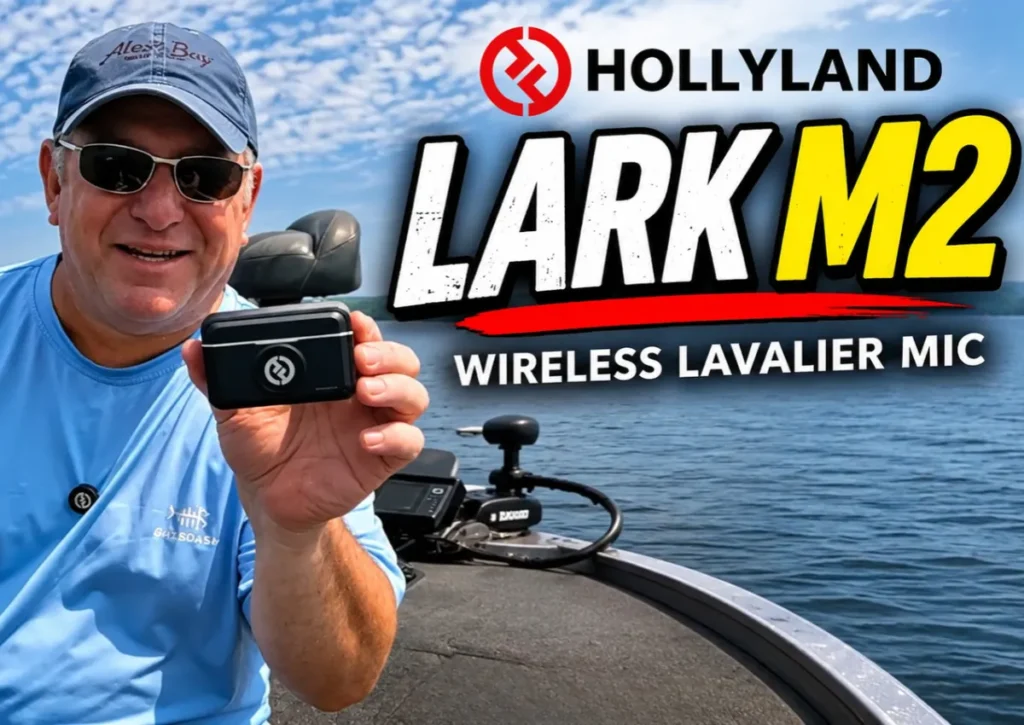
Good audio can make a big difference when recording video, especially outdoors. Whether you're fishing, hiking, creating YouTube content, or recording everyday adventures, having a dependable wireless microphone system makes life a lot easier.
For this Hollyland Lark M2 review, I'm sharing my real-world experience using the wireless lavalier microphone system with my GoPro HERO12 Black to record fishing videos.
With well over 100 hours of recording time and plenty of long days on the water, I've gotten a good feel for its audio quality, battery life, wireless reliability, and a few things I'd like to see improved.
Here's my experience.
Why I Chose the Hollyland Lark M2
For full transparency, I purchased my Hollyland Lark M2 systems with my own money. These weren't free products or review samples provided by the manufacturer.
I also purchased and tried several competing wireless microphone systems before ultimately settling on the Lark M2. In fact, I liked it enough that I now own more than one.
I don't review every product I purchase. Generally, I only take the time to write about products that really impress me or ones that seriously disappoint me. Fortunately, the Hollyland Lark M2 falls into the first category.
Hollyland Lark M2 Design, Setup, and Charging
One of the things I really like about the Hollyland Lark M2 is its compact design and simplicity.
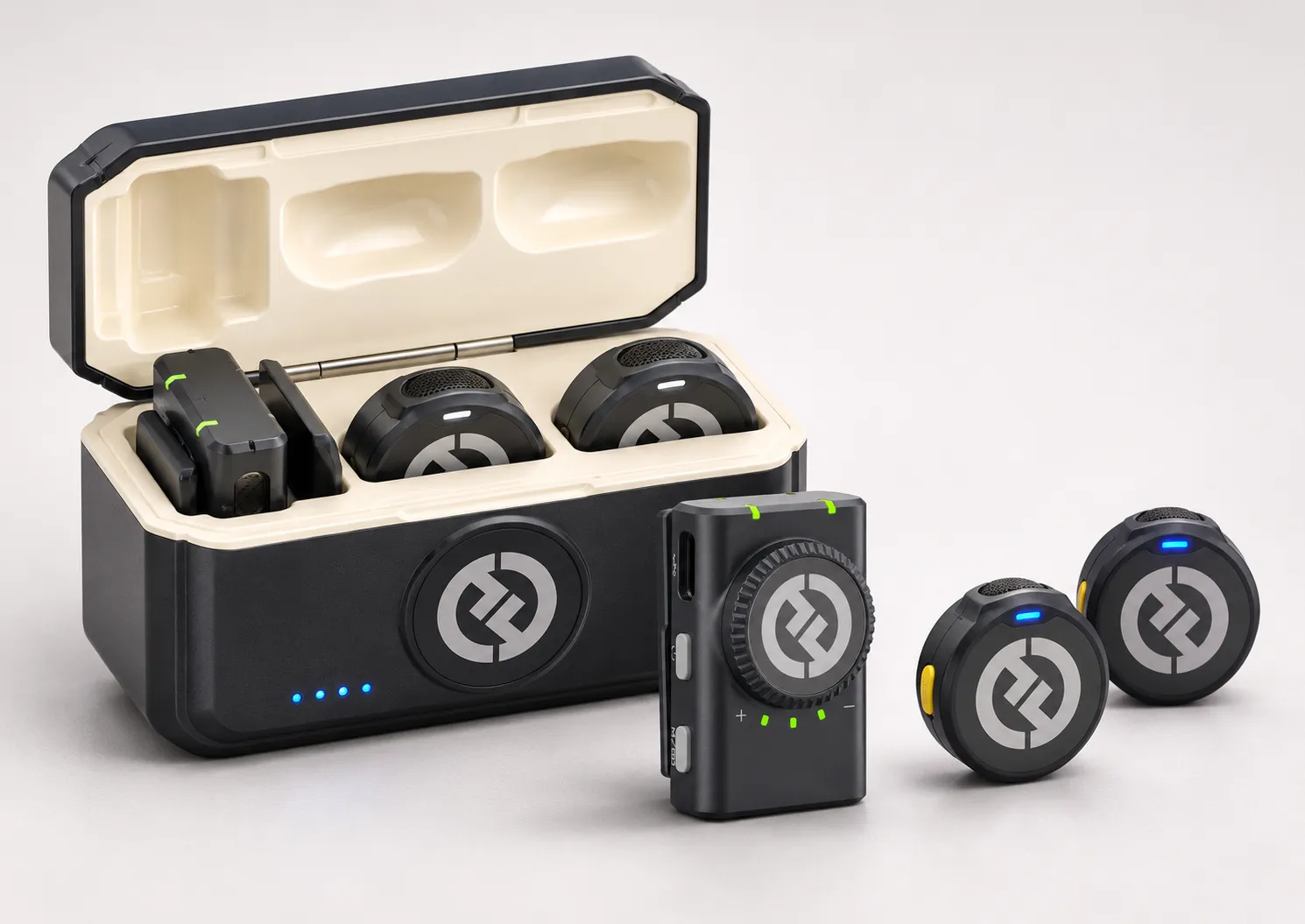
The camera system includes two wireless microphone transmitters, a receiver, and a portable charging case. Everything fits neatly inside, and the components pair automatically, so there's very little setup involved.
The charging case uses a standard USB-C connection. You charge the case, and the individual components recharge while stored inside it.
When you're ready to record, simply remove the transmitter and receiver, connect everything, and you're ready to go.
The kit also includes a carrying pouch, a lanyard for wearing a transmitter around your neck, and decorative stickers for changing the appearance of the microphones. Personally, I don't mind the standard Hollyland logo, but the options are there.
Overall, it's a nicely designed system that's easy to use.
Hollyland Lark M2 Specifications
Before getting into my experience, here are a few of the manufacturer's published specifications for the camera version of the Hollyland Lark M2.
| Feature | Manufacturer Specification |
|---|---|
| Wireless transmission | 2.4 GHz |
| Audio resolution | 48 kHz / 24-bit |
| Microphone type | Omnidirectional |
| Transmitter weight | Approximately 9 grams |
| Transmitter battery life | Approximately 10 hours |
| Camera receiver battery life | Approximately 9 hours |
| Camera charging case | More than 3 full recharges of transmitters and receiver |
| Charging connection | USB-C |
| Camera receiver output | 3.5 mm audio |
These figures are based on manufacturer testing. Actual performance will vary depending on how you use the system.
Hollyland Lark M2 Battery Life: Real-World Experience
Battery life is particularly important when you're recording outdoors for extended periods.
On a typical fishing trip, I might be recording for six to eight hours, sometimes longer. Based on my experience, I generally get approximately eight to ten hours of practical use, depending on how I manage the microphones and receiver.
The system includes two transmitters, which is extremely helpful.
I typically use one transmitter for approximately five to six hours, then switch to the second while placing the first back into the charging case.
If I stop for lunch, I'll sometimes put the transmitters and receiver back in the case for about 20 minutes to give everything a quick recharge.
The charging case itself has excellent capacity. I've been able to recharge the components several times without completely draining the case. Even so, I make a habit of fully recharging it after every fishing trip.
One thing I've noticed in my own use is that the receiver generally seems to last longer than the individual transmitters. However, Hollyland's published specifications actually rate the camera receiver at approximately nine hours and the transmitters at ten hours.
Either way, the receiver's remaining battery life ultimately becomes a limiting factor during a particularly long recording day.
One Battery-Related Feature I'd Like to See Improved
This is one of my biggest criticisms of the system.
The microphones have indicator lights that communicate battery status. The lights show green when charged and connected, eventually changing to orange and red as the battery runs down.
The problem is that when a microphone loses power, there's no audible warning to let you know recording has stopped.
When you're concentrating on fishing, filming, or whatever activity you're recording, you're not constantly looking at the microphone.
I've experienced situations where I didn't realize the audio had stopped recording until later.
That can mean losing 10, 15, or even 20 minutes of audio, potentially including some important moments.
My GoPro provides audible notifications when its battery is about to shut down. I would love to see Hollyland implement something similar.
An audible low-battery warning would be a valuable improvement, particularly for people recording for extended periods.
For now, I've developed a habit of checking the transmitter indicator lights every 20 to 30 minutes once I've been recording for approximately five hours.
It's a manageable inconvenience, but one worth knowing about.
Hollyland Lark M2 Audio Quality and Recording Levels
Audio quality has been one of the stronger points of my experience with the Lark M2.
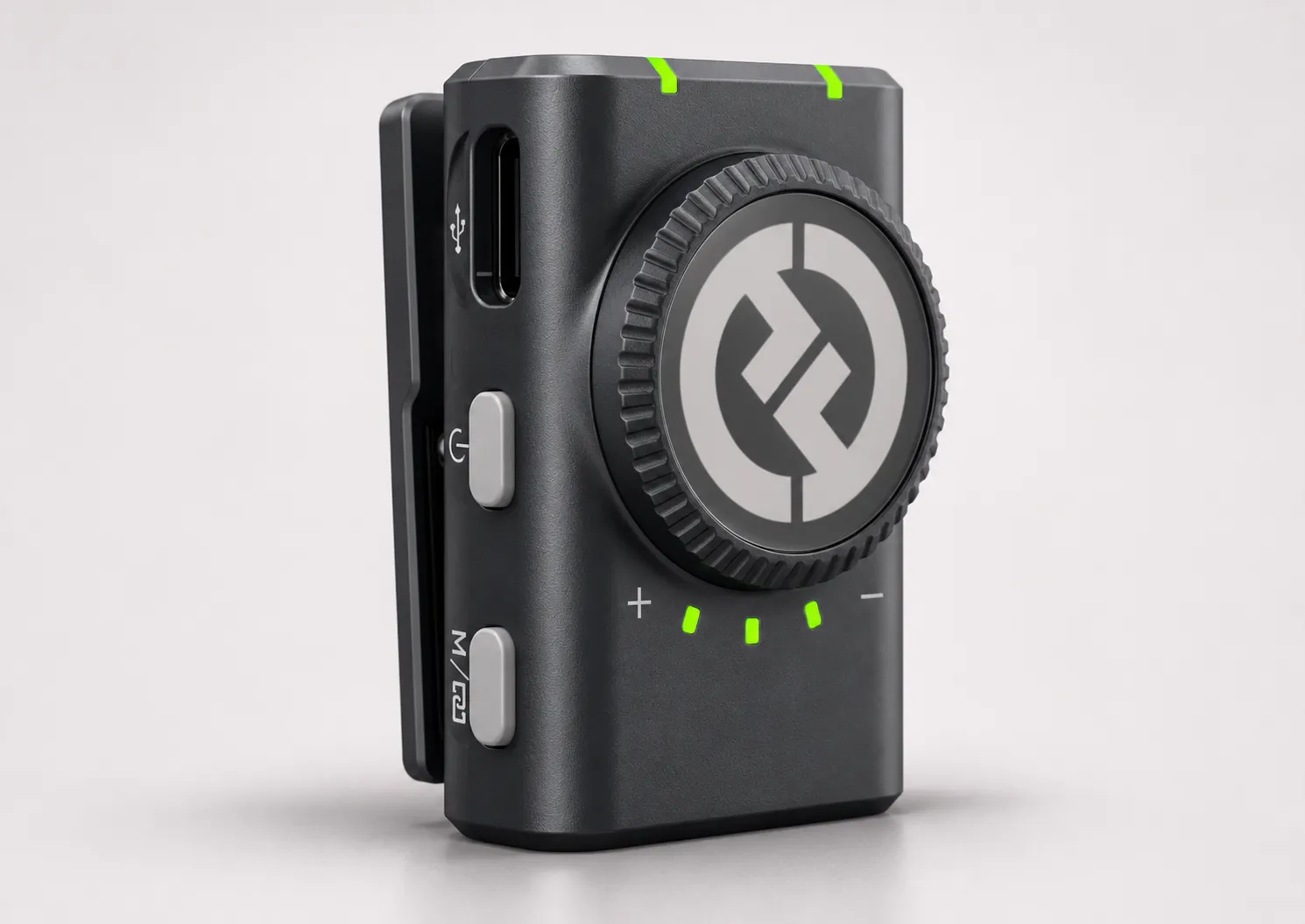
The receiver has three adjustable recording levels, indicated by small green lights.
After experimenting with the settings, I've found that level two provides the most consistent results for my recording setup.
It gives me clear, sufficiently loud audio without the distortion or clipping I might otherwise experience when I get excited and start talking or yelling.
If you've watched any of my fishing videos, you know that occasionally happens!
With the microphone attached to my chest and facing upward toward my mouth, level two has worked particularly well.
Of course, the ideal setting may vary depending on your voice, camera, and recording environment.
Wireless Reliability and Connectivity
With well over 100 hours of recording time using the Hollyland Lark M2, I haven't experienced any wireless connectivity issues, interference, or unexpected disconnections.
The wireless connection has been consistently reliable throughout my use of the system.
Wind Noise and Outdoor Recording Performance
Wind is always a consideration when recording outdoors, especially on the water.
Hollyland includes furry windshields, commonly called windsocks, that fit over the microphones to reduce wind interference.
I'll admit, I don't always use them. They're a little funny-looking, and sometimes I prefer the cleaner appearance of the microphone without one.
During colder weather, I've occasionally positioned the microphone underneath my jacket to help shield it from the wind.
That can reduce some wind interference, but it's not a substitute for a proper windscreen.
I've tested the included windsock in a controlled environment and noticed a definite improvement in reducing wind noise.
My recommendation: If you're recording in windy conditions, use the provided windsock. That's what it's designed for, and it makes a difference.
Using the Hollyland Lark M2 with a GoPro HERO12 Black
This is an important consideration if you're planning to purchase the system specifically for a GoPro.
I use the Lark M2 with my GoPro HERO12 Black and GoPro Media Mod.
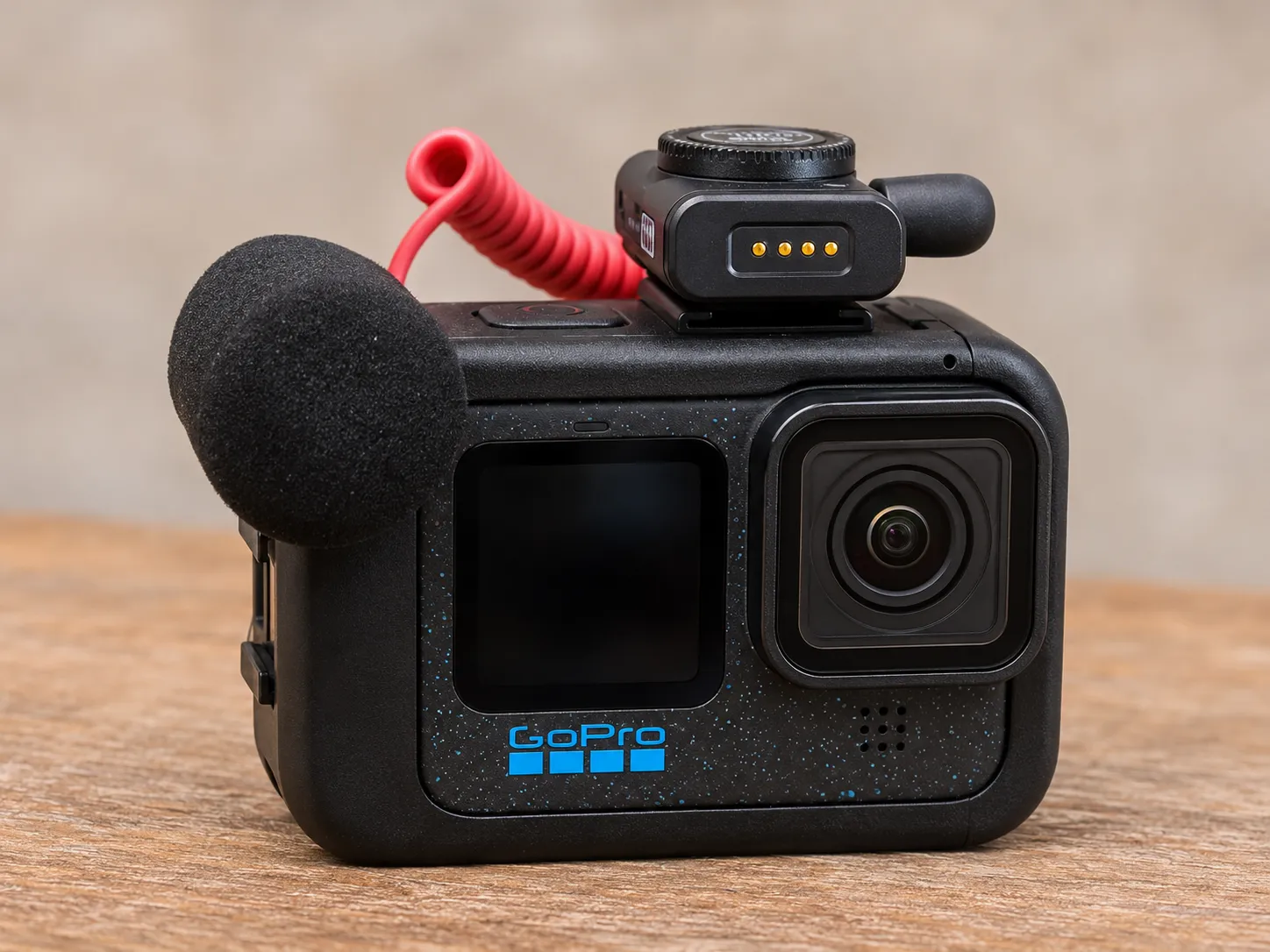
The camera version of the wireless receiver connects through a 3.5 mm audio cable to the Media Mod.
You cannot simply plug the USB-C receiver version directly into the GoPro's USB-C port and expect it to work as an external microphone.
For my HERO12 Black setup, the Media Mod provides the necessary external microphone connection.
GoPro also offers a compatible Pro 3.5mm Mic Adapter as an alternative for connecting external microphones.
Hollyland offers receiver options designed for smartphones, including USB-C and Lightning versions.
I own the USB-C phone version as well, and it works great with compatible phones.
Just be sure you're purchasing the appropriate version for the equipment you intend to use.
Hollyland Lark M2 Pros and Cons
What I Like
- Compact, lightweight design
- Automatic pairing with minimal setup
- Reliable wireless connectivity with no dropouts experienced
- Two transmitters for convenient rotation during long recording sessions
- Portable charging case with excellent reserve capacity
- Clear, consistent audio using the medium recording level
- Included windsocks, lanyard, carrying pouch, and other accessories
- Compatibility options for cameras and smartphones
What Could Be Better
- No audible low-battery warning before the audio cuts out
- Transmitter battery life requires attention during extended recording sessions
- GoPro HERO12 Black users need the Media Mod or another compatible external microphone adapter for the camera receiver
Hollyland Lark M2 Frequently Asked Questions
Does the Hollyland Lark M2 work with a GoPro HERO12 Black?
Yes. I use the camera version of the Lark M2 with my GoPro HERO12 Black and GoPro Media Mod. The receiver connects to the Media Mod using a 3.5 mm audio cable. GoPro's compatible Pro 3.5mm Mic Adapter is another option.
How long does the Hollyland Lark M2 battery last?
Hollyland rates the transmitters for approximately 10 hours and the camera receiver for approximately nine hours. In my experience, I generally get eight to ten hours of practical recording use by switching transmitters and taking advantage of the charging case.
Is the Hollyland Lark M2 good for recording outdoors?
In my experience, yes. I've used it extensively while filming fishing videos, and the audio quality and wireless connection have been consistently good. The included windsocks are especially useful when recording in windy conditions.
Does the Hollyland Lark M2 lose its wireless connection?
After well over 100 hours of recording, I haven't experienced interference, unexpected disconnections, or wireless connectivity problems. That doesn't guarantee the same performance in every environment, but reliability has been excellent in my experience.
Is the Hollyland Lark M2 worth buying?
For my GoPro fishing videos, it's been a very good investment. The audio quality, compact design, charging case, and wireless reliability make it a practical microphone system. Just be aware of its battery-warning limitations and make sure you purchase the correct version for your camera or phone.
My Overall Opinion: Is the Hollyland Lark M2 Worth It?
After using the Hollyland Lark M2 extensively for recording my fishing videos, I'm very happy with its performance.
It's compact, easy to set up, and provides the audio quality I need without the hassle of dealing with wired microphones.
Wireless reliability has also been excellent. With more than 100 hours of recording time and no connectivity issues, it's proven to be a dependable part of my filming setup.
The charging case and dual-transmitter setup make it practical for longer recording days, although managing battery life is something you need to stay on top of.
The lack of an audible low-battery warning is a genuine drawback, and I'd love to see Hollyland address it in a future version.
But overall, the Hollyland Lark M2 has been a very good addition to my GoPro recording setup, and it's a system I'd recommend considering if you're looking for a compact wireless microphone.
Watch My Hollyland Lark M2 Video Overview
In this 3-minute, 28-second video, I take a closer look at the Hollyland Lark M2 wireless microphone system and share how I've been using it to record my fishing videos with a GoPro HERO12 Black.
Equipment Featured in This Review
Hollyland Lark M2 Wireless Microphone
View Hollyland Lark M2 on Amazon
GoPro Media Mod
View GoPro Media Mod on Amazon
GoPro HERO12 Black
View GoPro HERO12 Black on Amazon
As an Amazon Associate, I earn from qualifying purchases. The product links above are affiliate links.